
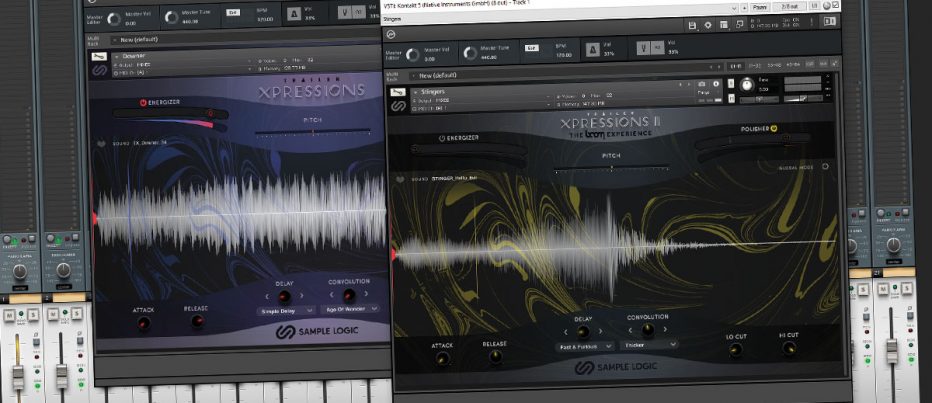
Sample Logic Trailer Xpressions 1 & 2 – The Heavy Hitters
Given Sample Logic’s dedication to providing amazing production tools for sound designers, the latest addition to the Trailer Xpressions line promises more of the same successful mix of clever sound morphing and high fidelity samples. Today we are looking at both Trailer Xpressions 1 which was released less than a year ago now, and the brand new Trailer Xpressions 2: The Boom Experience. Though visually similar this new edition contains a totally new and massively expanded sample set.
(Review updated April 2022) Sample Logic is one of the most pioneering sample developers in the industry right now and their products are always a pleasure to review. I am always totally blown away by the immersive sound quality and clever tactile controls provided. Though both Trailer Xpressions 1 & 2 are not massively complex like, for instance, Cinematic Keys or Bohemian, I am still expecting high-quality results.
Overview
Sample Logic Trailer Xpressions 1 and 2 are a sound design sample library collection designed with cinematic orchestrations in mind. Both libraries can be run in full Kontakt mode, or you can opt to bypass the interface and directly drag and drop wave samples into your DAW sequence. Using the interface option gives you a handful of creative tools to use, whereas dropping in wave samples saves a lot of processing power.
Xpressions only works with the full version of Kontakt, which is probably a smart move as this product will appeal mostly to professional sound designers who are likely all ready to own the full version. If you are unaware of the difference, Native Instruments Kontakt comes in two varieties, a free Player version and a fully paid version. Cosmetically and operationally identical, the free version’s individual libraries cost more because each includes a licence. With the fully paid version, the libraries are $15-$50 cheaper as you the customer have already paid upfront for the covering licences.
As mentioned, Xpressions both 1 and 2 features either a full version Kontakt only interface, so you will need to budget the extra $300 for this if you don’t own it already. Happily, Sample Logic supplies all the samples as raw wave files so you’re not required to purchase Kontakt especially. The Kontakt interface is better for finding samples quickly as you can, of course, preview them immediately from your keyboard. The sample name is noted above each waveform display so you can find it in your browser for inserting, but sadly, you cannot directly drag and drop from the Kontakt interface.
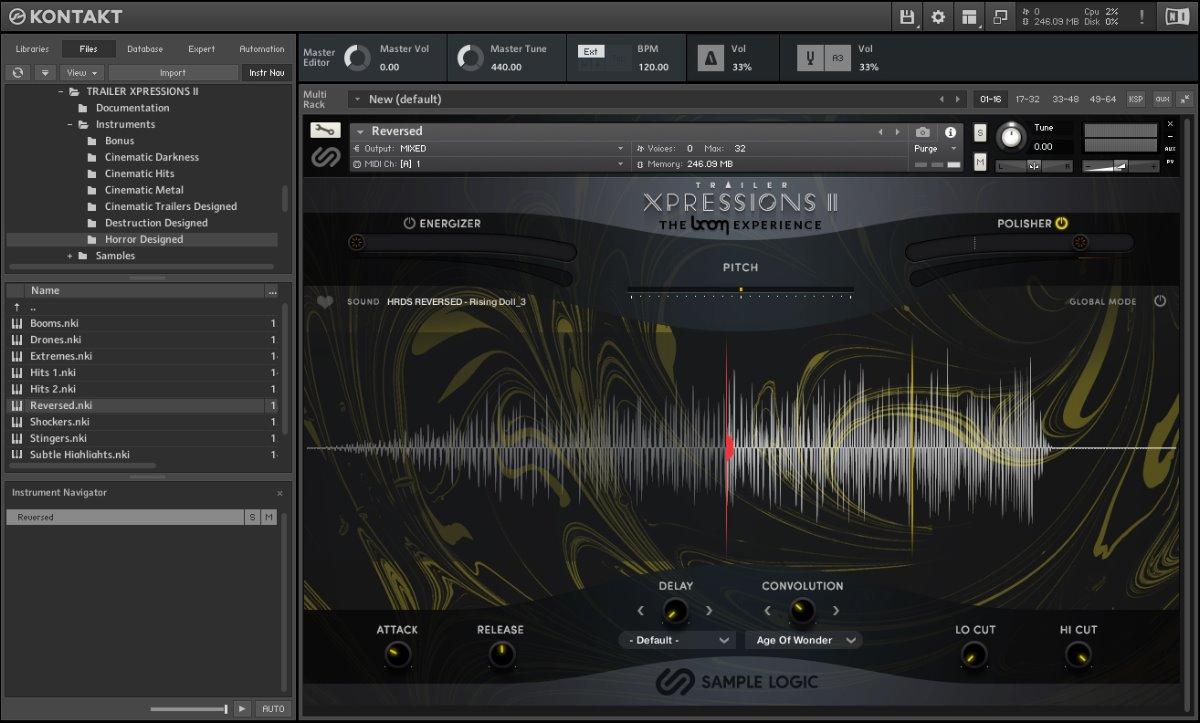
Right off the cuff, Xpression’s huge interface looks absolutely gorgeous with large waveform displays as you play keynotes, all adding to the sense of scale with the instrument. The Kontakt keyboard shows in blue where the play range is, with a nifty favouriting system that permanently marks a key in red if you click the little love heart.
Visually similar, Xpressions 1 is blue and purple, and Xpressions 2 is gold on black. Both share the exact same controls, with Xpressions 2 featuring an additional global mode, which is a major benefit and should really be present on both players. More on this in a moment.
Both feature the same delay effect, convolution reverb effects and patches to keep continuity. Xpressions 1 comes with 875 individual samples split over 26 patches at 44.1k. Xpressions 2 features a whopping 1,775 files at a 96k sample rate over 47 instruments, so well over double the content and resolution. All sounds from both editions are royalty-free.
Road Test
Though essentially the same in operation, Trailer Xpressions 2 has the sub-heading of The BOOM Experience thanks to the collaboration with the innovative SFX designers Boom Library. The wave samples were curated directly from their catalogue and have been mixed and morphed to create the new collection.
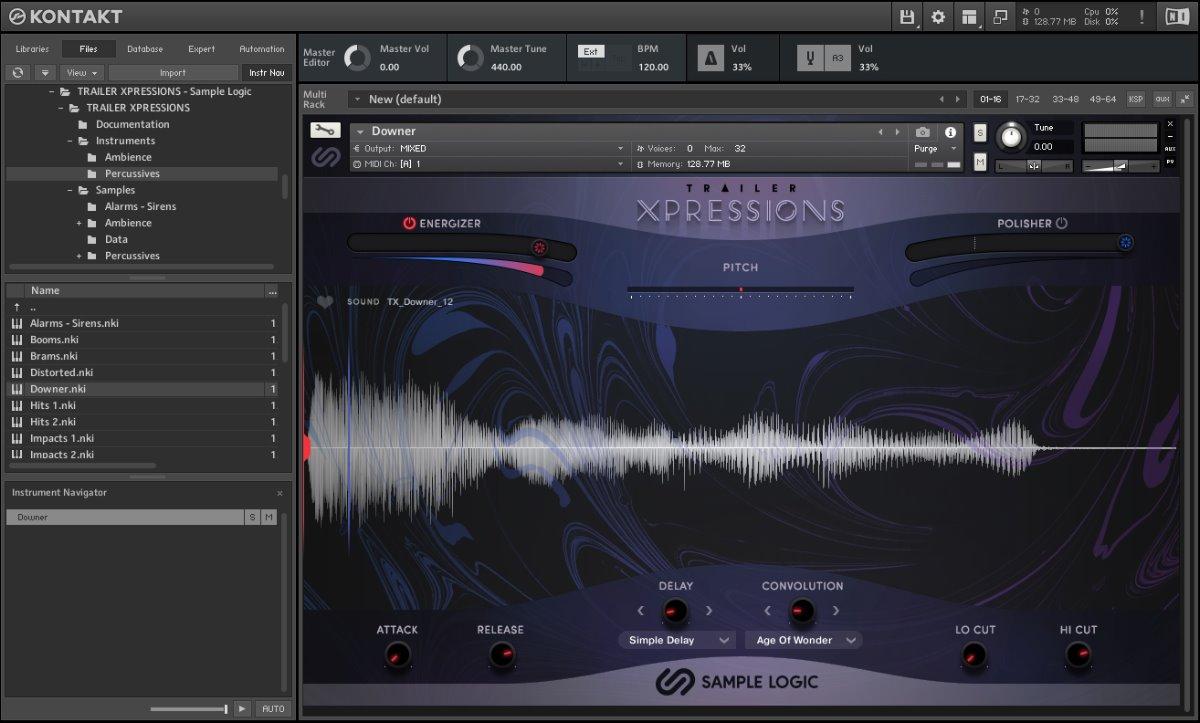
As mentioned, the GUI for both Xpression editions is glorious. Patches load fairly quickly as well, making the search for the right sounds painless. Once a patch is loaded you will have access to multiple individual samples mapped to the blue range on your keyboard and fully tempo-locked to your DAW project.
The Kontakt GUI gives you a simple envelope control with attack and releases dials, plus a low and high pass filter section. The Release dial works as the sample endpoint roll-off, allowing the sound to taper off when you release the key fast or slower. Editing start points is as easy as dragging the cursor line over the waveform to the position you need, so between both controls, you have a rather effective envelope filter.
Right in the middle of the page are the built-in delay and convolution reverb controls. Even though there are no control parameters for these, they both include a good number of presets and are duplicated in both editions. If you were wanting something more flexible you will need to look to 3rd party plugins. These controls are notable for their width and depth effects. The delay will widen the sound dramatically, whereas the reverb will drop the sound back into the distance.
Above the waveform display is a 2-octave pitch control which is handy, though I would love to see a key-lock option that allowed individual samples to be played across the full keyboard range. This and all other controls are fully CC-mappable.
Annoyingly, in Xpressions 1 the controls are global to all samples in the patch, including the start point cursor. Xpressions 2 has the option to remove global control and apply each setting to individual samples, which just works much better. I would like to see Xpressions 1 updated with this control as it allows much more flexibility.
 The Sound
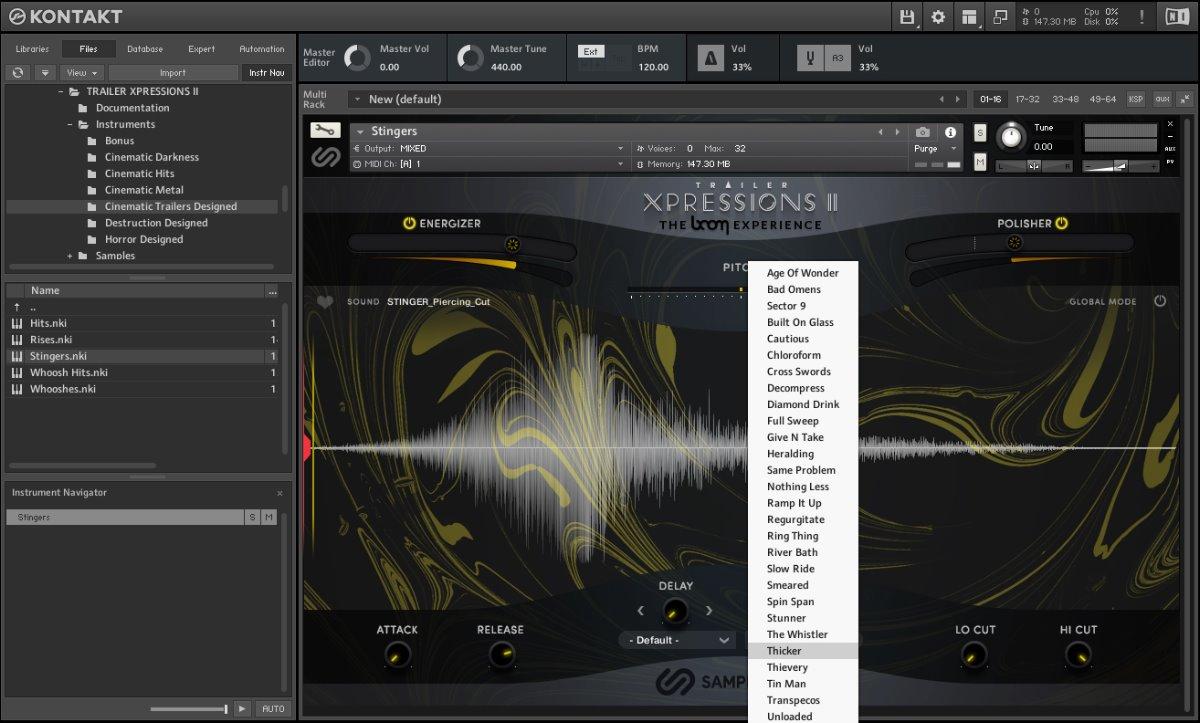
Though individually the samples are on the whole very impressive, layering opens up a whole new world of sound design possibilities. Using the Kontakt interface is a great way to play back multiple samples at once and to trial variations, layers and different timings to achieve something quite mammoth.
The included Kontakt controls are simple but effective, particularly the effective multi-processor Energise and Polisher sliders, adding distortion and brightness respectively. The results are very subjective on the source material, so mostly you will need to apply a large degree of trial and error. There is ample control to increase attack and bite, and of course, bring things back using the high and low pass filters and reverb.
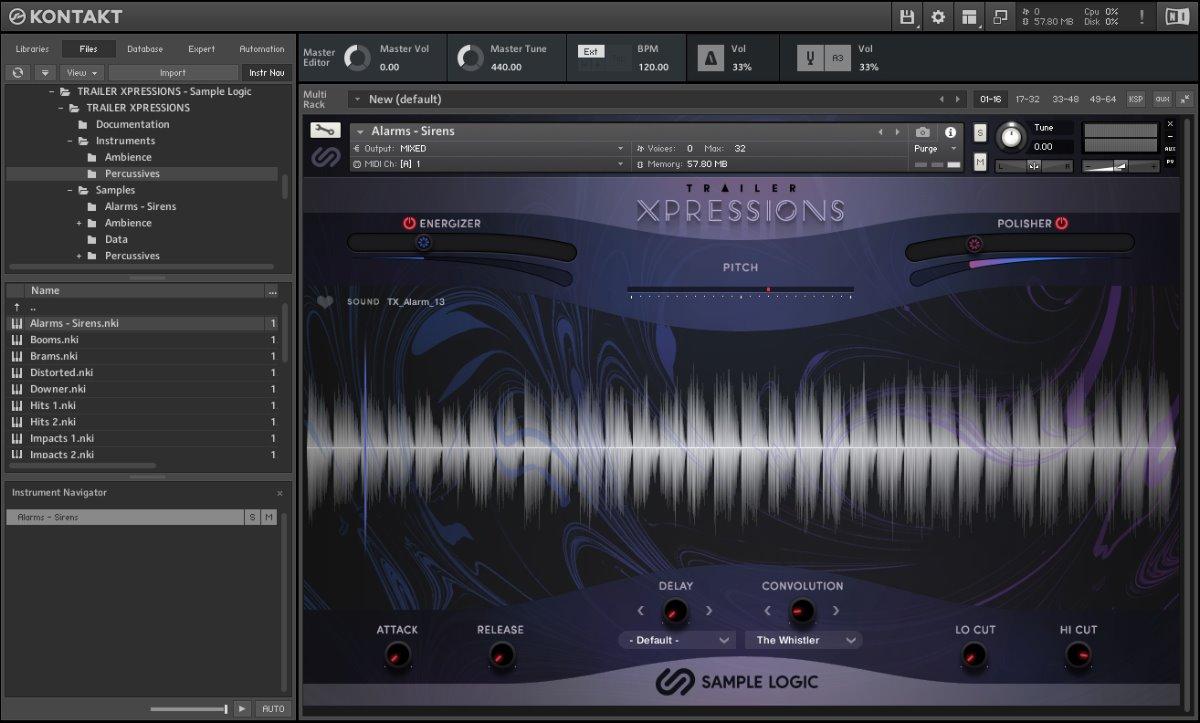
Though Xpressions 2 comes with the Boom Library hyper samples, due to the low-fi nature of the booms, smashes, wooshes and distorted hits, I can’t really hear a massive difference in fidelity between the two editions. If there were identical samples I’m sure you could hear the difference, but basically, they both sound really amazing.
If anything you may have a problem with the sounds being TOO high fidelity, requiring more processing to dirty them up further. On the whole, the samples are all mix ready, you shouldn’t need much 3rd party post-processing other than whatever creative effects you can dream up.
You will probably want to purchase both editions as a bundle to take advantage of the reduced price, but if your budget only extends to one, though they are both excellent, the obvious choice would be the Xpressions 2 for the extended sample content and global controls.
Performance
Though each patch is reasonably weighty as a Kontakt instance due to the number of samples loaded, purging the samples once you’ve nailed down the ones you want to use in your project dramatically reduces overheads. Of course, dragging and dropping the raw waves in from your browser uses zero system resources dedicated to the plugin, and this is the best option for larger projects.
Performance testing is a double-edged sword. As a single instance, there were negligible DPS demands. But you are most likely to be running multiple instances in your project. Testing with 10 copies of Kontakt running showed a rather hefty 30% DSP drain on our system, which is a lot. Of course, it’s a simple matter of dragging the samples into your DAW or purging the player to free up resources, so I don’t know which way to call this.
Let’s just say it’s somewhat demanding on resources only in its full, unpurged player mode.
Conclusion
Sample Logic Trailer Xpressions are a set of sample libraries you didn’t know how much you needed until you own them. An extravagance for a traditional orchestral composer, but a must-have for sound designers and film composers looking to push the limits.
The curated samples all sound stellar. There is a bunch of typical booms and risers with a good selection of new and unusual textures. Care must be taken using samples in their raw, unprocessed state, as this opens you up to criticism for bashing the same old sounds everyone else is using, so the built-in modulation controls in the Kontakt interface go a long way to sculpting totally new and unique sounds for your projects.
My only annoyance with both editions is the inability to drag and drop directly from the Kontakt player directly into your DAW. This just adds an extra level of frustration searching through your hard drive to find the individual samples. Of course, you can simply sample record Kontakt’s output into your DAW with all the FX embedded, but a drag-and-drop function to do this automatically would certainly make life easier.
Though from the outside this might look like a simple sample player, the Xpression series is a complex collection of samples that when combined well can create anything from your simple transitional effects to long underscores and atmospheric tracks of any length. The gigantic interfaces are slick and beautifully designed, with well-chosen minimalist control sets.
Trailer Xpressions 1 and 2 will have limited appeal to the mass market, but for those in the sound design sector, these are excellent platforms for manipulating and designing creative cinematic elements. Both are very focused products which is a good chance to see among Sample Logic’s current range of extremely broad spectrum instruments.
I can see many more opportunities for the series to expand into Folly, orchestra FX, and even sound FX. Let’s hope Sample Logic has a few more interesting sample collections tucked away so we can get our grubby mitts on in the near future.
Awesome stuff, indeed.
Check out Trailer Xpression 1 and 2 on Sample Logics website for full details www.samplelogic.com