Harrison Mixbus 3 – A Wolf in Sheep’s Clothing
Harrison Console’s heritage with hardware recording consoles is legendary. The company’s amazing MPC5 console is well-represented in professional studios, film, and broadcast installations around the world. It was somewhat of a surprise when the company announced Mixbus a few years back, a digital emulation of their famous 80s console – and a DAW to boot. What could possibly go wrong?!
For such a traditional company, steeped in a history of creating true-blue, nuts and bolts analogue recording consoles to suddenly announce out of the blue a digital audio workstation was a shock. Also, surprising was the unusual approach of licensing an open-source community-based Linux project called Ardour as a basis for the software. Mixbus was promoted as a complete recording and editing system with an analogue-style mixing console emulation, loosely based on Harrison’s classic 32-series consoles from the ’80s (the one they recorded Michael Jackson and AC/DC amongst other superstars on).
Though the original Mixbus had somewhat limited capabilities, with the lack of MIDI and decent VST support among many complaints, it did attract enough loyal followers to support the project well enough for Harrison to release a further v2, and now a brand new incarnation simply enough titled Mixbus 3.
Founded by Dave Harrison, the company delivered its first hardware console in 1975, the iconic 32-Series MixBus is based on. Located in Nashville, Tennessee, Harrison Console is one of the world’s most respected and revered manufacturers of large-format mixing consoles, mostly for the film and television production industry.
Back in time, we go
The first thing you will notice with Mixbus is the distinct old-school look and feel, especially if you are used to working on any of the other high-end software DAWs out there. Harrison is unapologetically making working with Mixbus 3 a more tactile experience – much like it was in the golden hardware-only days.
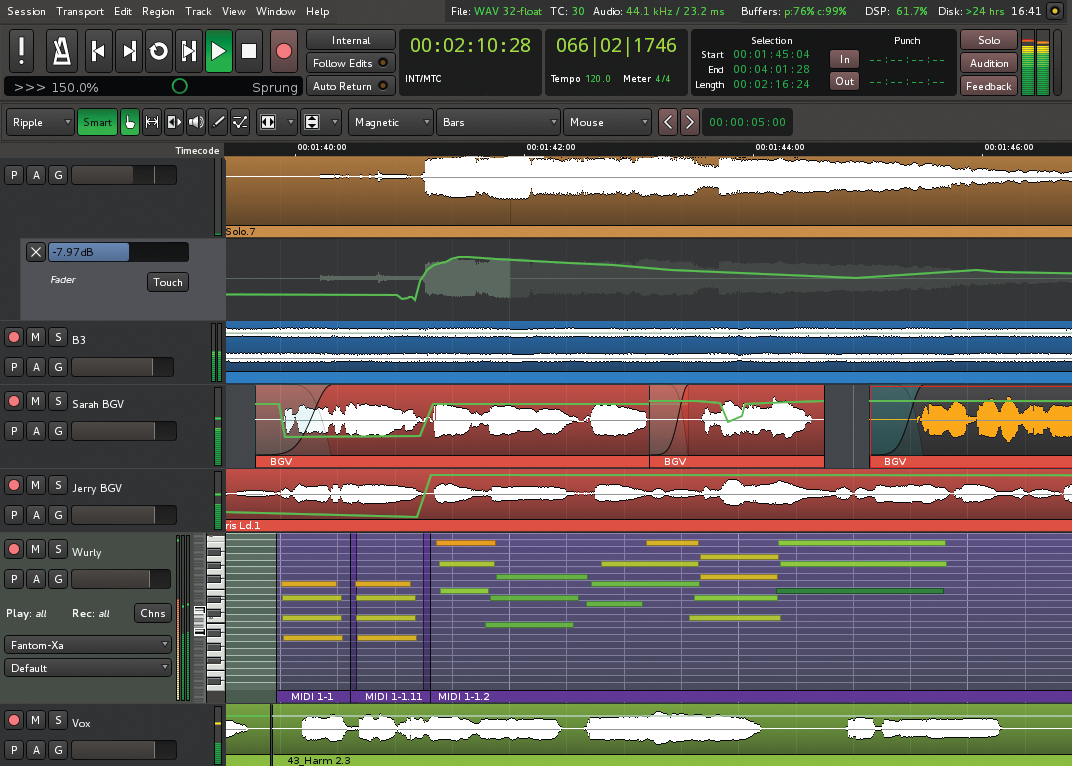
Graphically Mixbus 3 could be seen as a 10-year step back in time. Though it’s nice and bright, it isn’t a patch on any of the other major DAW competitions. Sure, it’s not a beauty contest – but comparing Mixbus 3 to say Cubase Pro8 is like putting Windows 95 next to Windows 7 in some regards. You can remove the cheesy gradient effect that will freshen up the interface quite a bit. Fortunately, the entire UI is customizable – so if you feel inspired you can get stuck in applying your own personalised colours.

The editing environment feels clunky as zooming around the project requires memorizing a collection of quite obscure ctrl/alt/shift keybinds, or menu diving. The editing tools are also quirky to use at first, but everything is there to do whatever you need to be done.
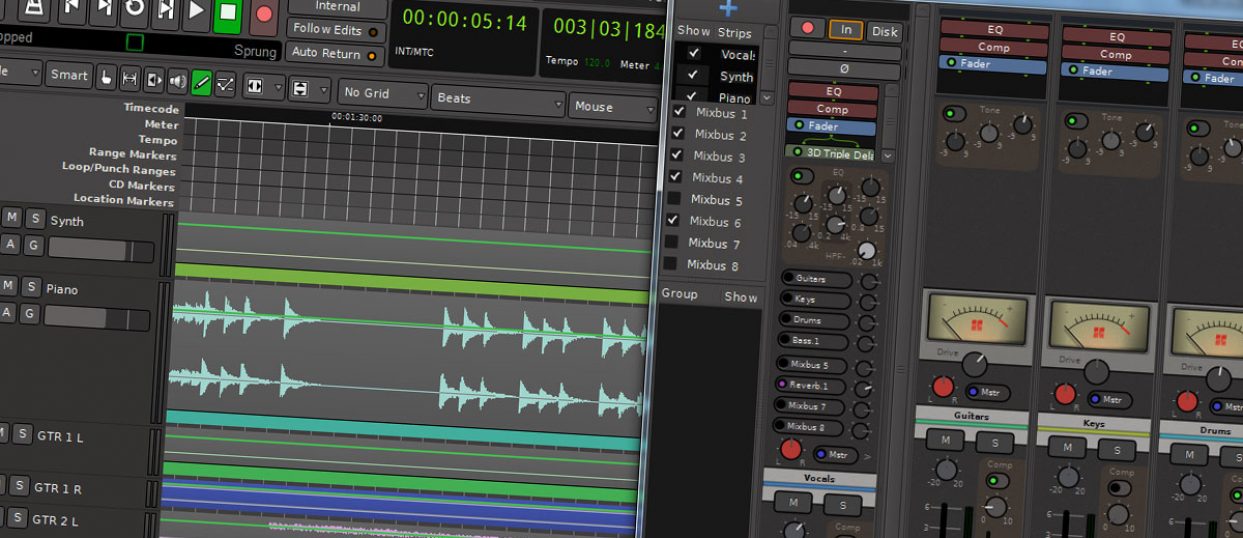
In the mixing page, the ‘one knob per function’ feature causes a little over-crowding of the screen real estate. For example, nearly 25% of the screen is taken up for plugin routing, which could have easily been put to better use considering 95% of the time you either don’t need to see that or it’s not important as you have no plugins enabled. While this signal pathing is interesting to see, and I get Harrison are trying to capture as much of the original console’s design as possible, the mixer would not feel so cramped if this section could be tucked away when not needed.
The graphical readouts telling you important control increments are very difficult to read. For instance, the channel strip name area changes to reflect the setting of whatever dial you’re effecting at that time and then reverts back to the channel strip name when you let go – neat idea, but you have no idea what any settings are unless you click the desired knob again. Again, probably Harrisons’ design decision to push users towards using their ears to mix, not their eyes. However, important settings like comp ratio, pan and EQ gain would be nice if you could see at a glance what’s going on as there is no graphical feedback and these processes can be quite RMS dependent.
Interestingly, though, you can always see the volume fader levels at the bottom of the strip, but it’s confusing as the channel peak hold is right next to it, leaving you to wonder if is my volume or if the channel is too quiet.
In daily use, I found Mixbus certainly has a personality of its own. Looking past some of the interface shortcomings I found the environment intuitive and comfortable once I’d spent a decent amount of time getting accustomed to it.
Road Test

Unlike other DAWs that provide you with a blank canvas to fill with 3rd party plugins, Mixbus offers a complete ready-to-go analogue-style mixing environment right out of the box. While you can always add more plugins if needed, generally you should have everything you need right there at your fingertips – just like it was in the old days.
Mixbus 3 ships with a nice little transient shaper called Dyno-Mite, a very simple one-fader interface that increases sustain or punch, depending on which way you move the control. You also get demo versions of all the other Harrison plugins you can buy as separate DLC.
All of the Harrison plugins, including the standard channel, BUS and master strip effects are world-class and sound absolutely incredible. The algorithms for the comps, channel saturation, filters, panning, and summing are top notch as you would expect from the people who manufacture the real consoles Mixbus 3 is modelled on. There is plugin delay compensation so you can parallel compress if that’s your thing, plus you get a full metering bridge available in a separate window if you like.
Harrison has made a big deal over the new support for VST and VSTi instruments, and the ability to load synths and 3rd party effects is a welcome feature. VST effects worked as expected, and of course, Harrison’s range of proprietary effects all performed excellently. Harrison expansion DLC effect plugins are a little on the pricey side, and lack decent presets, but improve on the already excellent built-in effects included in Mixbus by allowing much more control if like me you find the factory channel EQ and comp controls a little heavy-handed.
Some may argue having so much pre-allocated DSP all the time on every track, whether you want it or not, is potentially restrictive to CPU power. Though that may be true on some budget systems, Mixbus felt well optimised on our test machine, measured only around 5%-8% more overall CPU usage on projects mixed in Mixbus 3 compared with Reaper (our benchmark test DAW) with no effects applied at all. With any modern studio PC, we don’t believe performance will be an issue, considering you will use fewer plugins overall because everything you need is pretty much there already.
MIDI
Mixbus 3 introduces MIDI editing which is slightly unusual in that there is no dedicated MIDI editing screen, you just zoom closely into the track and begin working directly on the arrange screen, aka Propellerhead Reason style. The MIDI editing is rudimentary, but enough for most requirements. Editing patch numbers or any MIDI operations is a frustrating exercise in right-click/menu diving. Though there is no support for SYSEX editing or other advanced features, it is still early days for Mixbus MIDI.
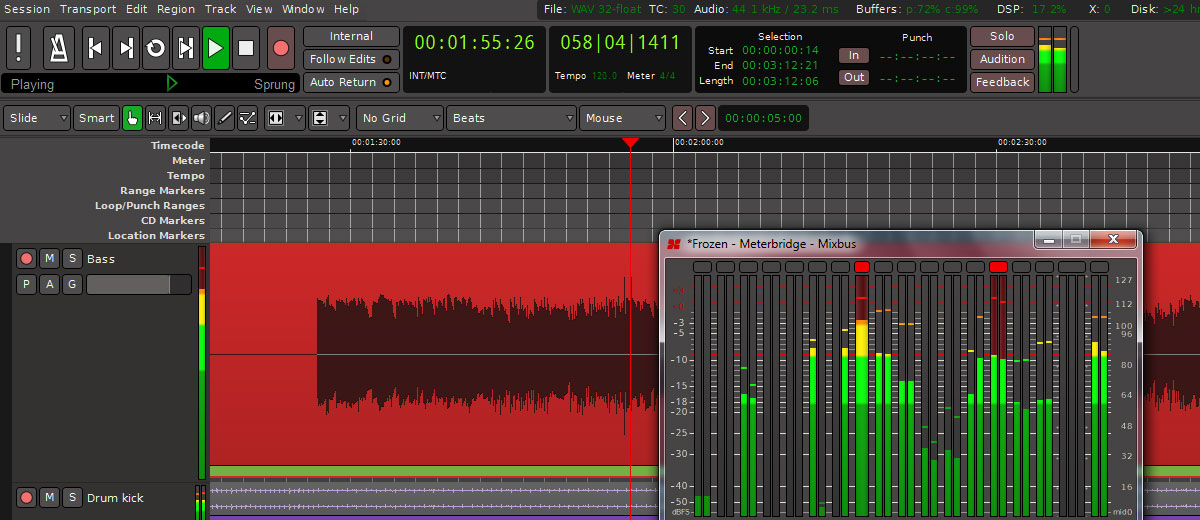
The latest v3 features a substantial list of improvements over the previous version, however, many of them are under the hood, such as the upgraded analogue mixing processing engine. The new GUI is cleaner and better laid out, plus included is a new virtual instrument called ‘SetBfree’ and a bunch of MIDI filter plugins. You can side-chain the channel compressors now, plus of course, insert VST/AU/LV2 instruments and effects.
Diamond in the rough?
Mixbus 3 is a complete rewrite for 64bit and multicore processing, and since it’s been out for less than two months there will inevitably be some issues on some platforms. We initially had serious issues with stability and performance on our studio test machine that totally disappeared totally on a different machine. We believe the issues were related to our Tascam digital mixer and the firewire interface, but it’s tricky to track down support for older hardware and new software like Mixbus. It will, of course, take some time for manufacturers to include it in their testing process, increasing stability over time.
Mixbus 3 now has full 64bit and ASIO support, something pretty much everything else has supported for many years. v3 does bring Mixbus up to par with most other titles, though really the new features are all pretty much standard affairs in all the most budget DAWs.
So you should be prepared for a few niggles, or possibly some serious ones depending on your current setup – it’s the price you pay for getting in early with such an complicated product like this. But perseverance will be rewarded, and for such a fantastic company as Harrison to jump straight into the deep end and provide such a rich-sounding and powerful platform at an almost laughably low price should be heralded. Fortunately, there is a great support team and community forum to bounce any issues that might arise.
How does it feel?
I’m torn with reviewing Mixbus 3 as it acts and feels like two totally separate software titles co-existing together under one roof – and I don’t think it’s a marriage made in heaven. Over on Harrison’s side of the bed, the wonderful mixer with built-in ‘knob per function’, EQs, comps, saturation and all the other goodies is pure and simply amazing. The mixer environment is a wonderful place to work and create – it takes me back to my analogue days.
In stark contrast, the editing side of Mixbus 3 is clunky, old-fashioned and best avoided. You can do pretty much everything required for recording and editing audio but out of the box, it’s not particularly intuitive. Frustrating VST crashes hamper your work on a regular basis. Mixbus 3 is still lagging behind the mainstream competition regarding editing features, though certainly not enough to hinder it as a fairly decent editor and recorder.
Though with that in mind, it doesn’t take long to get the grips of Mixbus 3 and some time spent modifying the key commands and GUI layout certainly helps.
In the end, the incredible sound results simply outweigh the largely cosmetic negatives of the sequencer. The excellent overall sound of Mixbus 3 is quite possibly the best in the market right now; we can’t think of anything that comes even close out of the box.
Conclusions
The mixer side of Mixbus is a total joy to use that really does force you to think more like a mix engineer than a computer programmer. The eight-bus limitation makes you slow down and think out your project – especially if you’re used to unlimited busses in your regular DAW. You need to really pay attention to your gain stage and your master bus stage, just as you would in the real world.
The phase and k-meters are excellent tools to help your mix to sit well. On our large monitor, the mixer screen looks glorious with a full project running – being able to scan your mix and actually see the gain reduction on the channel comps instead of having to click through plugins is one of the real strengths of Mixbus 3.
Mixbus has some rough edges, sure, but for a relative newcomer to the DAW scene the folk at Harrison Console knows where to focus their attention – the sound and this is where all is forgiven and thoughts of all ill are forgotten. This all-in-one mixer and plugin design is nothing new, Ensoniq Paris for instance nearly pulled it off 15 years ago, and Harrison Console has managed to succeed where others have failed.
Unfortunately, there is no demo available, which is a shame as one listen and you’re sold. The website has many tutorial videos you can watch to get an idea of how it works, and at $79 USD, it’s hardly a substantial outlay of cash to give it a trial, in fact, this is an absolute steal.
Mixbus 3 is a wonderful little gem, and if like me you’re finding digital mixing to be too sterile and you miss the good ol’ hardware mixing days you are in for a treat. The stability niggles will be ironed out I’m sure over time and are simply forgotten once you hear the incredible mixer at work. The iPad generation might need to look elsewhere if the interface isn’t to their taste.
With more Harrison proprietary plugins on the horizon and a rumoured hardware interface, the future is exciting for Mixbus. Entry price is an absolute no-brainer for anyone looking to add character to their mixes, and I’m glad the traditional approach to mixing is still being kept alive and very well in Nashville, Tennessee.